
If you’ve ever Googled something and noticed a little ad at the top of the search results, you’ve seen PPC advertising in action. Pay-per-click ads are everywhere, and if you’re wondering how to get started as a beginner, you’re in the right place.
Let me walk you through the world of PPC in a way that’s easy to follow, relatable, and packed with real-world insights.
What Exactly is PPC Advertising?

Let’s start with the basics. PPC, or Pay-Per-Click, is a type of digital advertising where you only pay when someone clicks on your ad. It’s like paying for a taxi ride—but only if the driver actually takes you somewhere!
Whether you’re running ads on Google, Facebook, or another platform, your goal is to attract clicks from people who might be interested in what you have to offer.
As a beginner, you’ll likely start with Google Ads. Why? Because Google is the go-to search engine, and their advertising platform is user-friendly once you get the hang of it. But don’t worry—I’ll guide you through setting up your first campaign!
How Does PPC Work?

Before you hit that “start campaign” button, it’s important to understand how PPC works behind the scenes. When you set up an ad, you enter a bid, which is the maximum amount you’re willing to pay for each click.
Google will then assign a Quality Score based on how relevant your ad is to what people are searching for, how well your landing page matches the ad, and your overall expected click-through rate (CTR).
Here’s where it gets interesting: Google doesn’t just show the highest bidder’s ads. Nope, a higher-quality ad can beat out the higher bids. This is a huge opportunity for beginners because you don’t have to have the biggest budget to succeed—just a well-targeted and relevant ad.
Ready to Set Up Your First PPC Campaign?
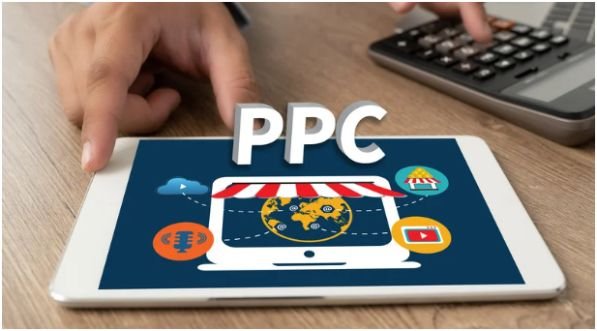
Now that you know what PPC is and how it works, let’s talk about getting your feet wet with your first campaign. Here’s the roadmap I followed when I started (and let me tell you, it works!):
Step 1: Set Up Your Google Ads Account
The first step is to create your Google Ads account. Head over to the Google Ads homepage, click on “Start Now,” and fill in your basic details like your business name and website URL. Most beginners will be tempted to stick with Google’s Smart Mode, which is easier but limits your control. I recommend switching to Expert Mode right away. It’s worth it because it gives you complete control over the settings.
Step 2: Choose Your Campaign Type
When it’s time to choose your campaign type, go with a Search Campaign. These are the text ads that show up when people search for something relevant to your business. A Search Campaign is perfect for beginners because it targets people who are already looking for what you offer.
Step 3: Set Your Bidding and Budget
Google will ask you to set a budget. I recommend starting small—around $10–$20 per day. You can always adjust it later. For bidding, use Maximize Clicks as your bidding strategy. This option will help you get clicks while gathering data on which keywords are performing best.
Step 4: Write Your Ads and Choose Keywords
This is where the magic happens! Write your ad copy to be clear and compelling. Focus on a strong call to action (CTA) like “Buy Now” or “Get Your Free Quote Today.” Then, choose your keywords. For beginners, I suggest going after long-tail keywords like “affordable eco-friendly running shoes” instead of the broad, competitive “running shoes.”
Step 5: Launch and Monitor
Once you’ve reviewed everything, it’s time to hit Publish! Google Ads can take a few hours to a few days to start showing your ads, but don’t worry—that’s totally normal. While the campaign is live, keep a close eye on how things are performing. You’ll likely need to tweak your bids, keywords, or ad copy to optimize your results.
How to Lower Your PPC Costs
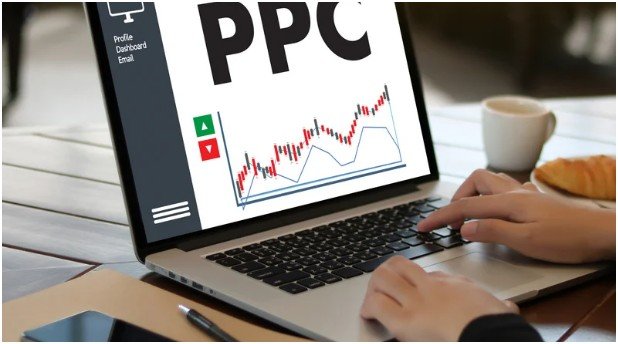
You’re probably wondering, “How can I make sure I’m not overspending on my ads?” Well, great question! Lowering your CPC (Cost Per Click) is one of the most powerful ways to get more out of your PPC budget and effective online advertisment techniques.
Why Quality Score Matters
One of the simplest ways to lower your costs is by improving your Quality Score. This Google metric measures how relevant your ads and landing pages are. Here are three things you can do to increase your Quality Score:
- Ad Relevance: Make sure your ad copy matches the user’s search intent. The closer it is, the better your Quality Score.
- Expected CTR: Include clear CTAs in your ads, and use Ad Extensions like sitelinks to add more information without extra cost.
- Landing Page Experience: Your landing page should load quickly and be relevant to your ad. If you’re advertising running shoes, don’t direct users to your homepage—take them directly to the shoes page.
The Power of Negative Keywords
Another secret weapon? Negative Keywords. These are the terms you don’t want to trigger your ads. For example, if you sell premium shoes, you can add “cheap” as a negative keyword so you don’t pay for clicks from bargain shoppers. It’s all about ensuring your budget goes toward the most valuable clicks.
Frequently Asked Questions About PPC Advertising for Beginners
1. What’s the difference between CPC and CPM?
CPC stands for Cost Per Click, meaning you pay every time someone clicks on your ad. CPM, or Cost Per Mille, refers to the cost per 1,000 impressions (views), and it’s used for brand awareness campaigns. CPC is more performance-based, while CPM is great for getting eyes on your brand.
2. How much should I budget for PPC ads as a beginner?
Start with a small budget—around $10–$20 per day. Google Ads allows you to set a daily cap, so you can test out different ads and keywords without risking your entire budget.
As you gather more data, you can adjust your budget and bid more aggressively on the best-performing ads.
3. Can I run PPC ads without a website?
Technically, you can run Google Ads without a website by using a Google My Business listing, but it’s much more effective to have a landing page tailored to your ad.
A website gives you complete control over the user experience and can help with higher conversion rates.
The Final Word: PPC Advertising is an Adventure!
PPC advertising for beginners might seem intimidating at first, but once you get the hang of it, you’ll realize it’s a powerful tool to drive traffic and grow your business.
The key is to keep learning, refining, and tweaking your campaigns. With some patience and practice, you’ll soon see the clicks—and the conversions—start rolling in.
Key Takeaways:
- Start small and focus on getting your Quality Score high to lower costs.
- Use negative keywords to avoid wasting money on irrelevant clicks.
- Keep an eye on your campaigns, and don’t be afraid to adjust your strategy as needed.
Remember, PPC advertising is a journey, and you’ll learn more with every campaign you run. Just stay committed, and soon you’ll be a PPC pro!